- Home
- Free resume templates
Free resume templates
Five clean designs, each with real, selectable text that applicant tracking systems can read. Pick one to open it in the builder with your details.
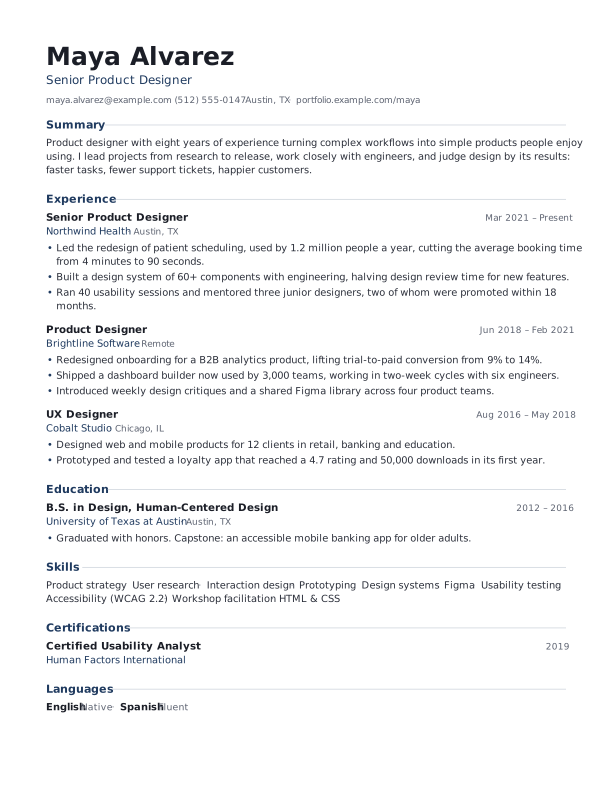
Modern
Clean sans-serif with accent headings and a confident name. Works for almost any job.
- Layout
- One column
- Good for
- Tech, design, marketing, most jobs
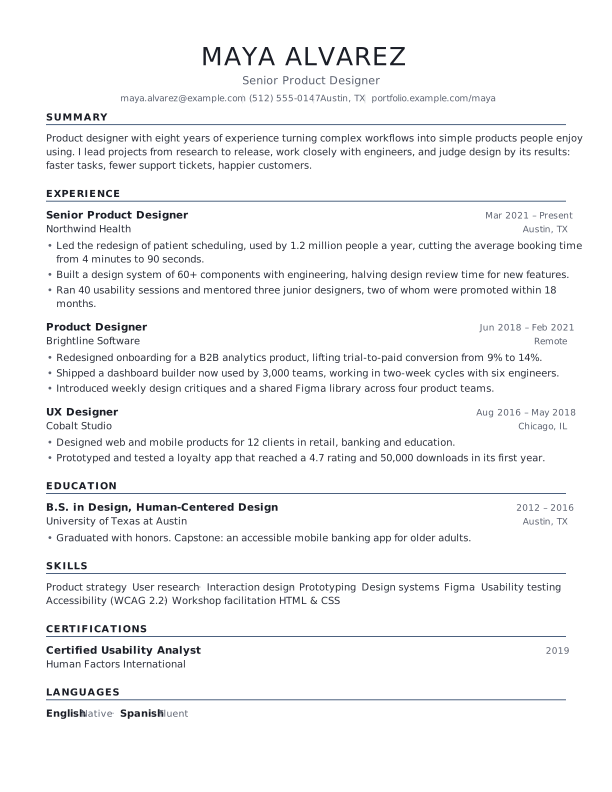
Classic
Centered serif name, ruled section headings. Traditional and calm: law, finance, academia.
- Layout
- One column
- Good for
- Law, finance, government, academia
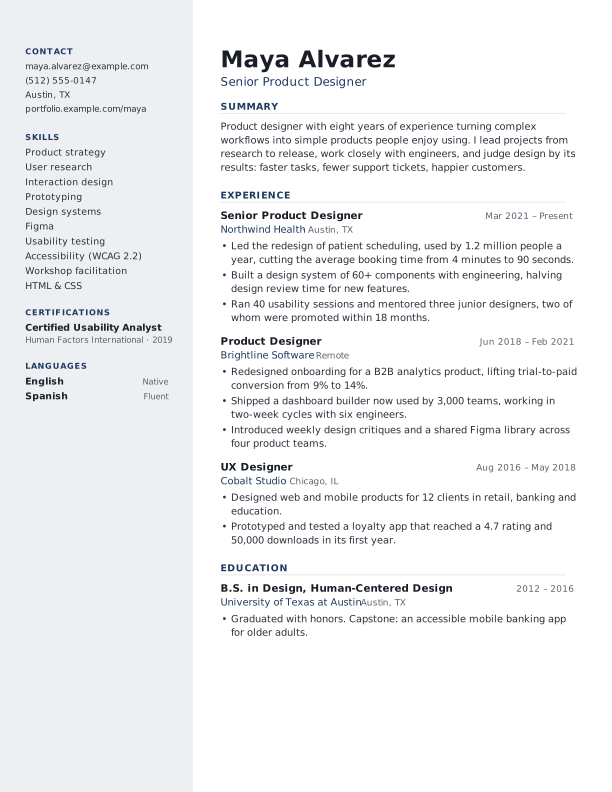
Two-column
A tinted sidebar for contact details, skills and languages, with the story on the right.
- Layout
- Sidebar + main column
- Good for
- Skill-heavy roles, career changers
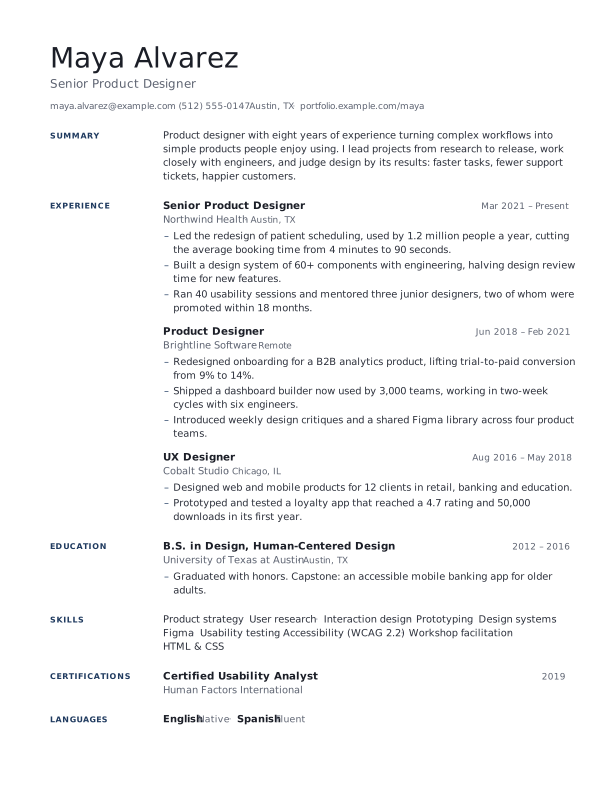
Minimal
Section titles in a quiet left margin and lots of white space. Lets the content speak.
- Layout
- One column, titles in margin
- Good for
- Writing, research, consulting
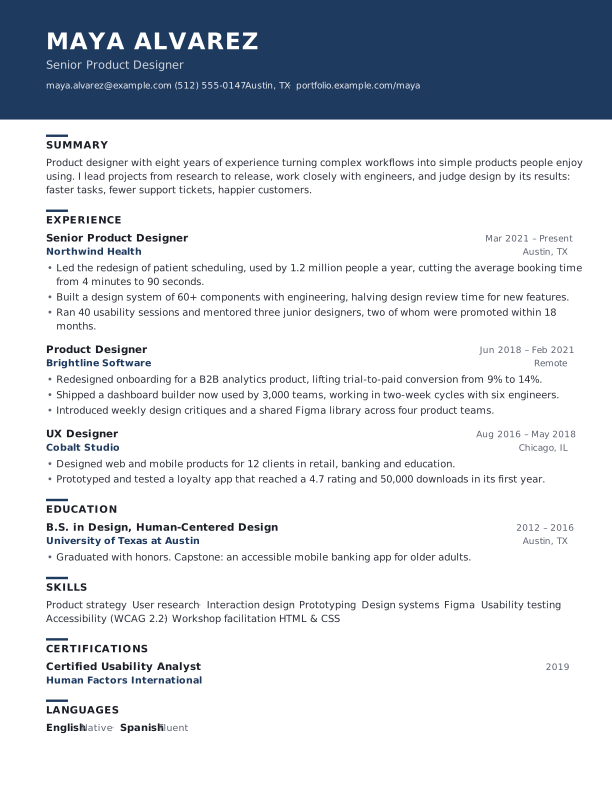
Executive
A bold header band and strong hierarchy for senior roles with a long track record.
- Layout
- One column, header band
- Good for
- Senior and management roles
Every template: real selectable text, standard section titles, clickable links, your choice of four fonts and any accent colour, A4 or US Letter.
Five templates, one engine
Each template is a different arrangement of the same content: you can switch at any time in the builder without retyping anything. The thumbnails above show page 1 of the example resume, laid out by the same engine that draws the builder preview and the PDF.
Every template works with all four fonts (Inter, Noto Sans, Source Serif and EB Garamond), any accent colour, three spacing settings, three date styles, and A4 or US Letter paper. That is 5 layouts with hundreds of looks.
- Modern: a strong name, accent-coloured section titles with a fine rule, and dates on the right. The safe, versatile choice.
- Classic: a centred serif name in capitals and ruled headings, with organizations in italics. Traditional and calm.
- Two-column: a tinted sidebar holds contact details, skills, languages and certifications, and leaves the main column for your story.
- Minimal: section titles sit in a quiet left margin, with plenty of white space. Elegant when you have strong content.
- Executive: a full-width header band in your accent colour and confident headings, for senior roles.
How to choose a resume template
- Match the industry. Conservative fields (law, banking, government) suit Classic or Minimal. Creative and tech roles can carry Modern, Two-column or a bolder accent colour.
- Match your content. Lots of skills, tools and languages fit the Two-column sidebar. A long, steady career reads well in Executive or Classic.
- Keep colour tasteful. One accent colour, used for titles and small details, looks professional and prints well. All the preset colours are dark enough to read in black-and-white printing.
- Test it. Download the PDF, open it, and try selecting the text. If you can select it in order, so can an applicant tracking system.
What makes a template ATS-friendly
Applicant tracking systems read the text out of your file. Designs that put text in images, text boxes in a scrambled order, or tables of tiny cells can confuse them. These templates avoid all of that: text is real text in embedded fonts, headings use the words systems expect (Experience, Education, Skills), and the reading order follows the page from your name down.
The two-column template writes the main column (name, summary, experience, education) into the PDF before the sidebar, so even a simple text extractor reads your story in order.
Questions and answers
Are these resume templates free?
Yes, all five, with no watermark and no sign-up. Open one in the builder, fill it in and download the PDF.
Can I switch templates after I have filled in my resume?
Yes. Your content is kept separately from the design, so you can try every template, font and colour on your own resume in a click.
Can I download the templates as Word files?
No, the builder makes PDFs, which look identical everywhere and keep their layout. If an employer insists on Word, copy your text from the builder into a simple Word document.
Which template is best for applicant tracking systems?
All five produce real text with standard headings in a logical order. If you want to be extra careful, Modern and Classic are single-column and the simplest possible structure.
Can I use a template for a CV?
Yes. Use As a CV under any template to open it in the CV maker, which defaults to A4 and adds fields that European and academic CVs often include.